ERP Migration Scope: Price the Workarounds First

Table of Contents
- Quick answer: ERP migration scope in brief
- What Your ERP Migration Scope Is Actually Priced Against
- The Layer Your Department Built on Top of the System
- The Date Is Fixed and the Scope Is Not
- None of It Was Ever Written Down
- The Cost of Discovering This Layer Mid-Project
- Running the Inventory: Replace, Rebuild, Retire
- The Inventory Is the Requirement Set
- Questions to Ask Before You Sign
An ERP migration scope should list every process your department runs, not every module the new system ships with. Most quotes do the opposite. They start from the replacement product’s feature list, where the workarounds your team built around the old system never appear. Those workarounds are where the change orders live.
If you’re a COO holding a migration number right now, the argument is short. The thing that has to move is the process. And in a mid-market operations department, the process lives partly in the system and partly in a layer your people built on top of it. Inventory that layer before you accept the quote, then sort each item into replace, rebuild or retire. What you end up with is the requirement set, the only document that lets you argue the price.
Quick answer: ERP migration scope in brief
- An ERP migration scope should list the processes your department runs, not the modules the new product ships with.
- Your team has built an undocumented layer on top of the old system: bolt-ons, repurposed fields, spreadsheets, email approvals, weekly re-entry.
- Sort each item into replace, rebuild or retire before you accept any quote.
- The finished inventory is your requirement set, and the only way to argue the price line by line.
What Your ERP Migration Scope Is Actually Priced Against
The number on your desk was built from the replacement product’s module list. A vendor maps your old system’s functions to the new system’s functions, then prices the gap. Anything your department does outside the system is invisible to that exercise.
Search for ERP migration scope and the top results read the word as data scope: which records to carry over, how much history to keep, how to cleanse master data. Those are real questions. They’re also the easy ones: a database can be listed and counted. A process can’t be exported.
Picture a 180-person distributor on a ten-year-old ERP whose vendor discovery workshop walks through the order-to-cash modules. Everyone nods. Nobody mentions that credit holds get released by a reply-all email to the controller, a step the workflow engine was never configured to handle. That approval isn’t in the old system’s documentation. It won’t be in the new system’s configuration unless someone puts it there.
No module list promises what you need on the Monday after cutover: the ability to keep shipping orders and close the month. A scope built from the feature list is measuring the wrong object.
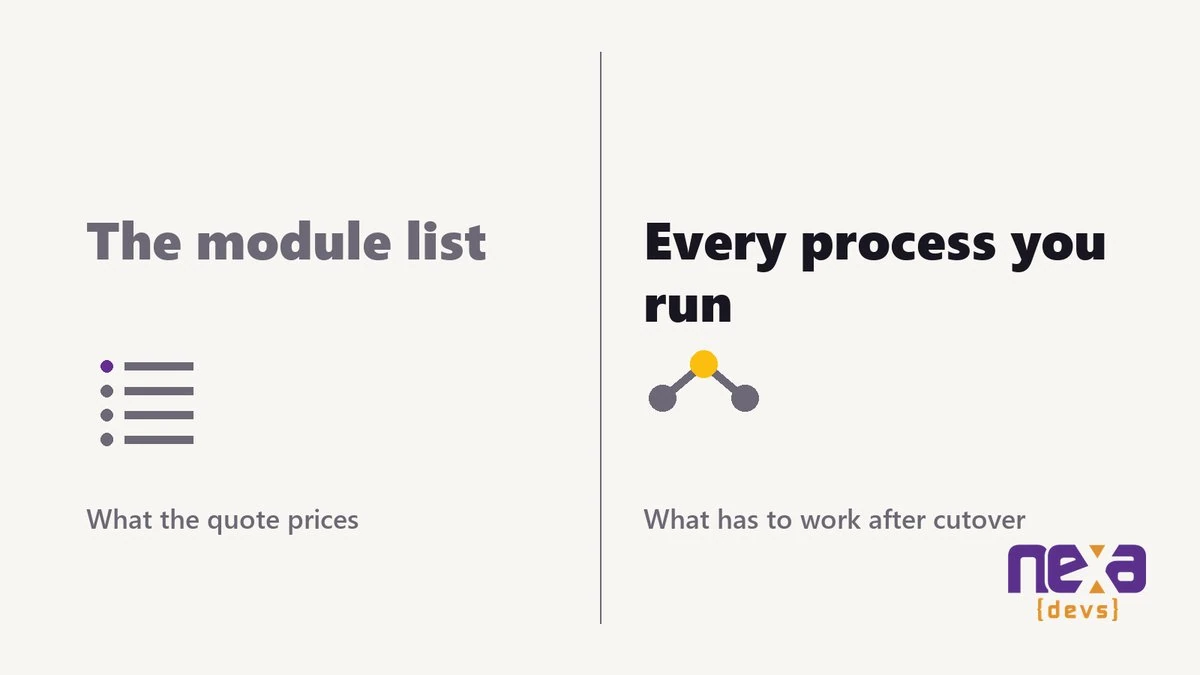
A migration quote usually covers the module list on the left; the department’s real process includes the layer on the right.
The Layer Your Department Built on Top of the System
Every operations department that has run one system for eight or ten years has a second system on top of it. It’s made of spreadsheets, repurposed fields, email habits and one person’s calendar. Nobody drew it, and the department would stop inside a week without it.
Call it what it is: legacy system replacement workarounds, accumulated one reasonable fix at a time. Each one is small. Together they hold up a good share of the department’s daily work without appearing anywhere in a vendor’s module list. The same five keep turning up in mid-market operations departments, whatever the industry.
The bolt-on nobody has re-evaluated since it was bought
Somebody bought a freight-rating add-on in 2017 because the ERP couldn’t price multi-stop loads. It renews every January. Three people use it, though no one is certain which three. Bolt-on applications for ERP platforms are a normal part of how these systems run in production. Microsoft’s own Dynamics GP lifecycle page says the partner ecosystem “has always been strong and will continue to release new add-ons that extend Dynamics GP.”
So the bolt-on has to be inventoried like anything else. Does the new platform do the job natively? Can the add-on’s vendor support the new platform at all? Has the decision behind the purchase quietly expired?
The fields that were repurposed to mean something else
“Customer Group 3” now means “bill to parent company.” A free-text comment field carries the dock door. Reports, exports and a month-end macro all read those fields by meaning, not by name.
Carry that data into the new system’s standard fields and the meaning disappears in transit. Nothing errors. The numbers are just wrong in a way you discover at the first invoice run. It’s also how a system becomes version lock software in practice. The repurposing only works because the old schema never changes, so nobody dares touch the version.
The spreadsheet holding the step the system refused to hold
The ERP can’t calculate volume rebates that vary by customer tier and quarter. So a finance analyst keeps a workbook with a tab per customer, a macro she wrote in 2019, and a manual journal entry she posts on the fifth of each month. The spreadsheet is the real system of record for that step.
Ask the analyst where the rebate rules are written down and she’ll point to the macro. That’s the requirement document. The new system might hold this step natively, which makes it a candidate for shadow IT consolidation, but only if someone tells the implementers it exists.
The approval that happens by email
Purchases over $25,000 get forwarded to the VP of operations, who replies “approved.” The audit trail is an inbox search. The workflow engine could have handled it from the start, but nobody configured it before the email habit set in.
The new system will want an explicit rule: who approves, at what threshold, with what backup when the VP travels. That’s a policy decision, implicit for years. Scoping the migration forces someone to make it explicit, which is better done before the quote than during user acceptance testing.
The re-entry someone does every Tuesday
Every Tuesday a coordinator re-keys the week’s carrier invoices from a portal PDF into the system. It takes ninety minutes and it isn’t in her job description. It’s just Tuesday.
Of the five, this item is the likeliest to be missed, because the person doing it doesn’t think of it as a process. She thinks of it as her week. If she’s on leave during cutover, nobody in the department knows the task exists until a carrier calls about a late payment. Before anything else, find out who in your operations team personally holds undocumented knowledge like this.
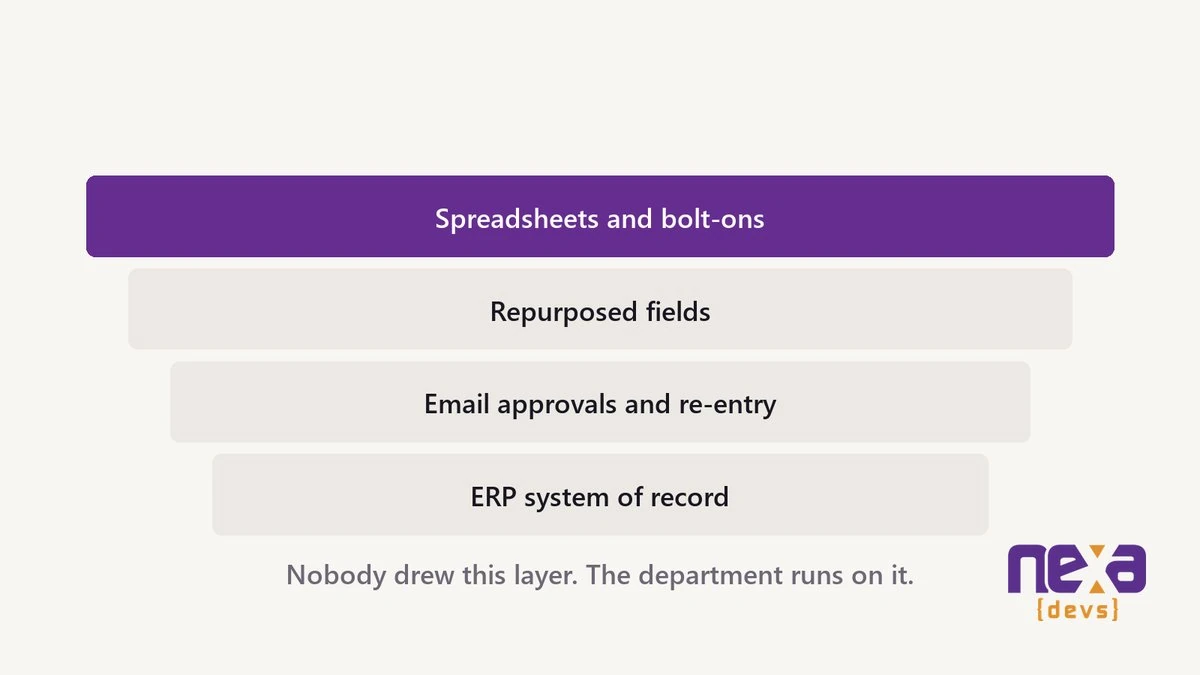
The workaround layer sits between the system and the people, and it rarely shows up in any migration document.
The Date Is Fixed and the Scope Is Not
You can’t move the vendor’s calendar. What you can control is how much of your department’s work gets scoped before that date forces decisions. A published lifecycle page works as an example precisely because every date on it is public.
The vendor’s lifecycle page, read closely
Microsoft’s Dynamics GP lifecycle table lists extended support for GP 2016 and GP 2016 R2 as ending July 14, 2026. That date has passed. For GP 2018 and GP 2018 R2, the same table lists extended support ending January 11, 2028, and Microsoft notes that installing any compatible tax release or hotfix on those versions brings you to version 18.5 or later, which enacts the Modern Lifecycle Policy.
For Dynamics GP end of support in 2029, Microsoft says it will end support on December 31, 2029 for product enhancements, regulatory (tax) updates and technical support. The page notes the previously announced end date was September 30, 2029. Security updates and patches, if needed, will be available until April 30, 2031.
One of those dates has already gone by, with organizations still running on the version. The others are ahead. Which one applies to you depends on a version number you can look up in five minutes.
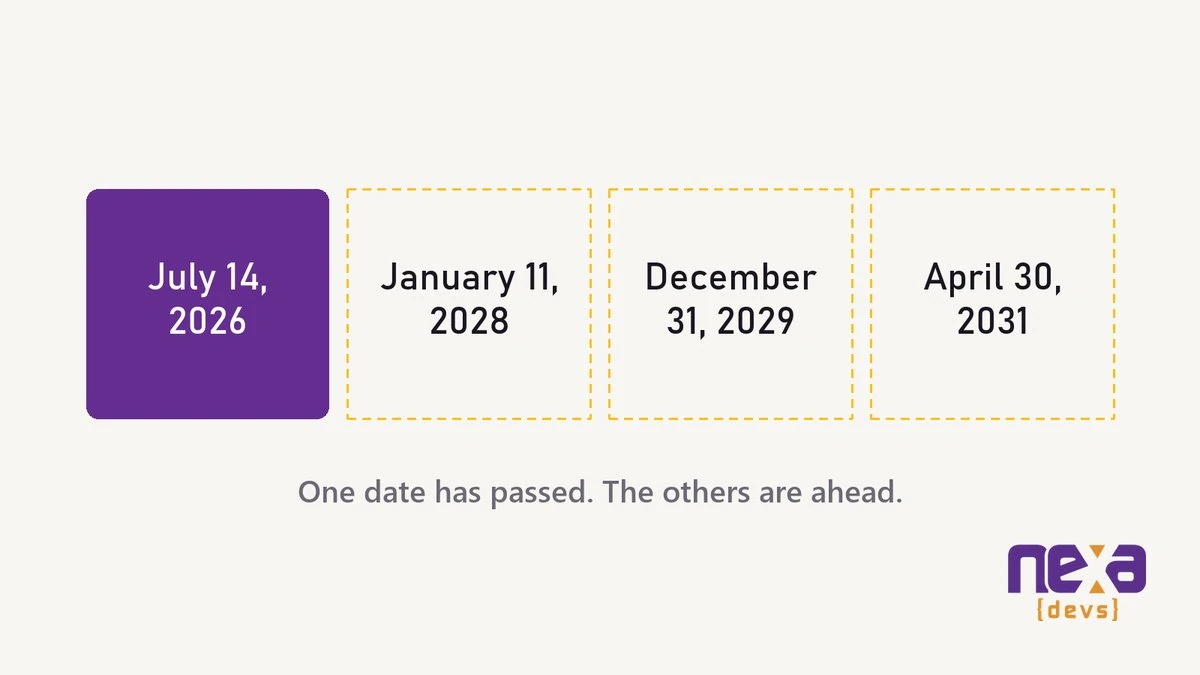
Published lifecycle dates give a fixed calendar; the scoping window before each one is the part you control.
A forcing date and scoping discipline
Deadlines compress discovery, and the inventory is the first thing to go. When the date is eighteen months out, someone says there’s no time for a process review and asks the vendor to start with the standard plan. The standard plan is the module list again.
Carey Wong, Senior Vice President and Global Head for Consumer Goods at NTT DATA, writes that “Many even avoid upgrades entirely until support for their current version ends.” That’s his observation from the consumer goods side of enterprise software, and it matches the pattern: organizations wait for the date, then pay for the compression. Start the inventory now, even if your date is 2029. It’s a few weeks of part-time attention from people who are already busy, and a date three years out only feels like slack.
None of It Was Ever Written Down
Because every workaround solved a real problem on the day somebody built it, and nobody asks for documentation on a fix that works. No one neglected the paperwork here; the team kept the department running with the system they were given.
Every workaround solved a real problem on the day it was built
The controller added a tab to the close workbook during a bad quarter in 2018. It worked well enough that nobody revisited it. The person who built it moved to a different role. That tab is now part of how the close happens, without ever becoming part of anything anyone could read.
Documentation is a project deliverable. Workarounds are emergency output. They come from different places in the organization, on different schedules, and only one of them has a budget line. Treating the gap as negligence will cost you the cooperation of the people who know the most.
Configuration and customization both come due at upgrade time
Many teams hold onto a comforting idea: configuring beats customizing, because configuration is safe and code is risky. Wong’s argument cuts against it. He writes that “‘Configure, don’t customize’ is one of the industry’s most misleading phrases,” that “every path eventually leads to customization,” and that “from an upgrade perspective, those configurations are just as troublesome as customizations using code.” Treat that as one practitioner’s argument, not research.
The practical point holds either way. ERP customization upgrade risk lives in custom fields, workflow rules, report layouts and user-defined tables as much as it lives in code. An inventory that stops at the code misses most of what comes due.
The Cost of Discovering This Layer Mid-Project
A workaround found after the contract is signed becomes a change order. Discover it during user acceptance testing and it’s a schedule slip instead. After go-live it’s a Tuesday when something doesn’t happen and nobody can say why.
The vendor isn’t wrong to charge, either. A fixed-fee quote built from the module list assumes standard processes, so anything outside it is out of scope by definition. Pushing back is hard when you have no document showing the step was always part of how your department works.
Acceptance testing doesn’t catch it either. Testers follow scripts written from the same module list, so the script never contains the email approval or the rebate workbook. The Tuesday re-entry surfaces in week two after cutover, when a carrier calls. By then the old system is switched off, the budget has closed, and the person who knew about it has moved on to month-end.
Running the Inventory: Replace, Rebuild, Retire
Sort every item in the layer into one of three bins. Replace it, if the new system does the job natively. Rebuild it deliberately when the step is load-bearing. Or retire it, because the decision behind it no longer applies.
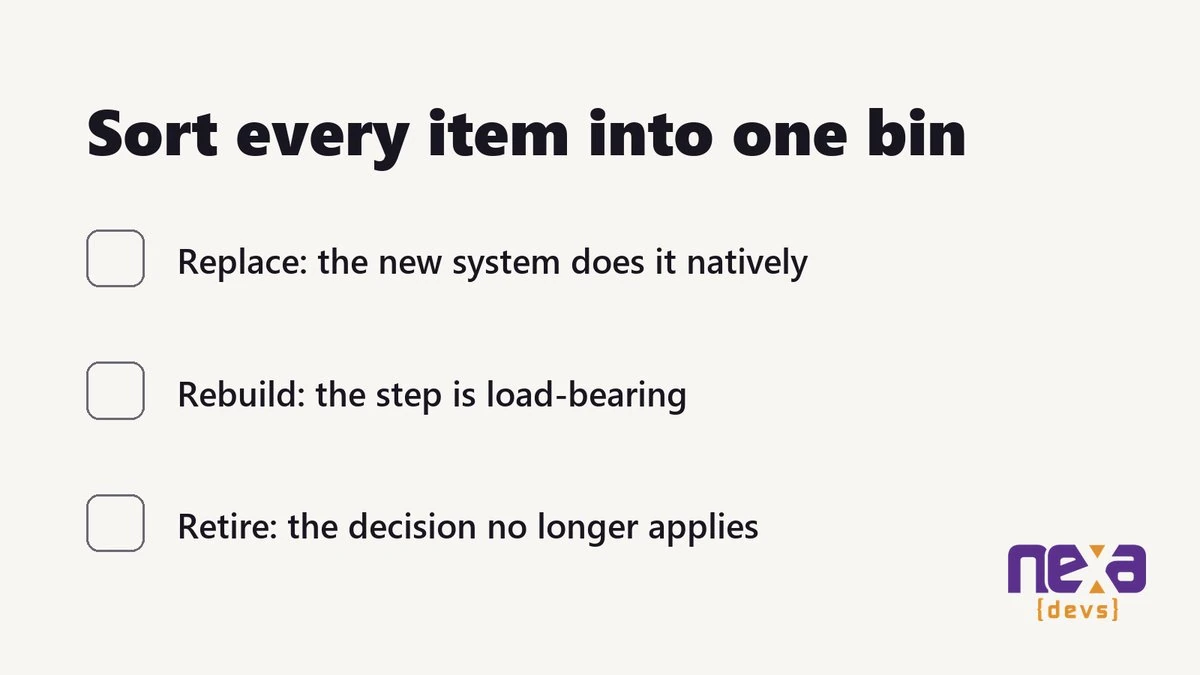
Each workaround gets one bin, one owner and one acceptance test before anyone prices the migration.
Replace: the new system does this natively
Replace means someone can demonstrate it in the new system’s sandbox with a real transaction. A line on a feature sheet doesn’t count. Native also means an administrator can configure it without writing code, because anything that needs code is a rebuild.
Many spreadsheets and bolt-ons land here, which is shadow IT consolidation for free. The rebate workbook might become a pricing rule, and the freight add-on might turn out to be a standard module. Test each of those claims in the sandbox before the item goes in the bin.
Rebuild: the step is load-bearing and has to be built deliberately
Rebuild is for steps the business can’t stop doing and the new system can’t do by default. The credit-hold approval is one. So is the carrier invoice check. Each gets a written requirement, a named owner, an acceptance test and a price.
The price matters most. A rebuild visible in the quote is a decision you made; the same work discovered in month five is a dispute that nobody has budget for.
Retire: the decision behind it no longer applies
The cheapest line in any migration scope is the one you delete. A $25,000 approval threshold set when the company did $20 million a year may make no sense at $90 million. The report built for an auditor who left in 2020 probably has no reader now. And the credit-hold email habit might trace back to a single customer default in 2015.
For each item, ask what decision it was created to support, and who makes that decision today. If nobody does, retire it. Some of your longest-running workarounds will turn out to be answers to questions nobody asks anymore. Take them out of scope and the quote gets smaller before you’ve negotiated anything.
Running it without stopping the department
You don’t need a consulting engagement or a month of workshops. Use the people you already have, in short sessions, in this order:
- Interview each team lead for thirty minutes with two questions: what do you do that the system doesn’t, and what happens on the last day of the month?
- Follow one order from quote to cash and one purchase from request to payment, noting every touch outside the ERP.
- Pull the last year of accounts payable for software and add-on renewals. That’s your bolt-on list, and it usually runs longer than anyone expects.
- Export the custom fields, user-defined tables and custom reports from the system itself.
- Sit with each process owner and assign a bin.
Log all of it in one table, one row to an item:
| Item | Where it lives | Who holds it | Decision it supports | Bin | Quote line |
|---|---|---|---|---|---|
| Credit-hold release | Email to controller | Controller | Extend terms to risky accounts | Rebuild | Workflow config, line 14 |
| Volume rebate calc | Finance workbook | Senior analyst | Quarterly customer rebates | Replace | Pricing rules, line 9 |
| Freight rating add-on | Third-party bolt-on | Logistics lead | Multi-stop load pricing | Replace | Standard module, line 22 |
| Weekly carrier re-entry | Coordinator’s Tuesday | Coordinator | Reconcile carrier invoices | Rebuild | Not yet priced |
If the ownership of these steps is part of what you’re untangling, our piece on who owns a workflow once automation is layered on it covers that question in more depth.
The Inventory Is the Requirement Set
Once every item has a bin, an owner and an acceptance test, you’ve written the requirement set. It’s also the only document that lets you read a migration quote line by line and ask where each item went.
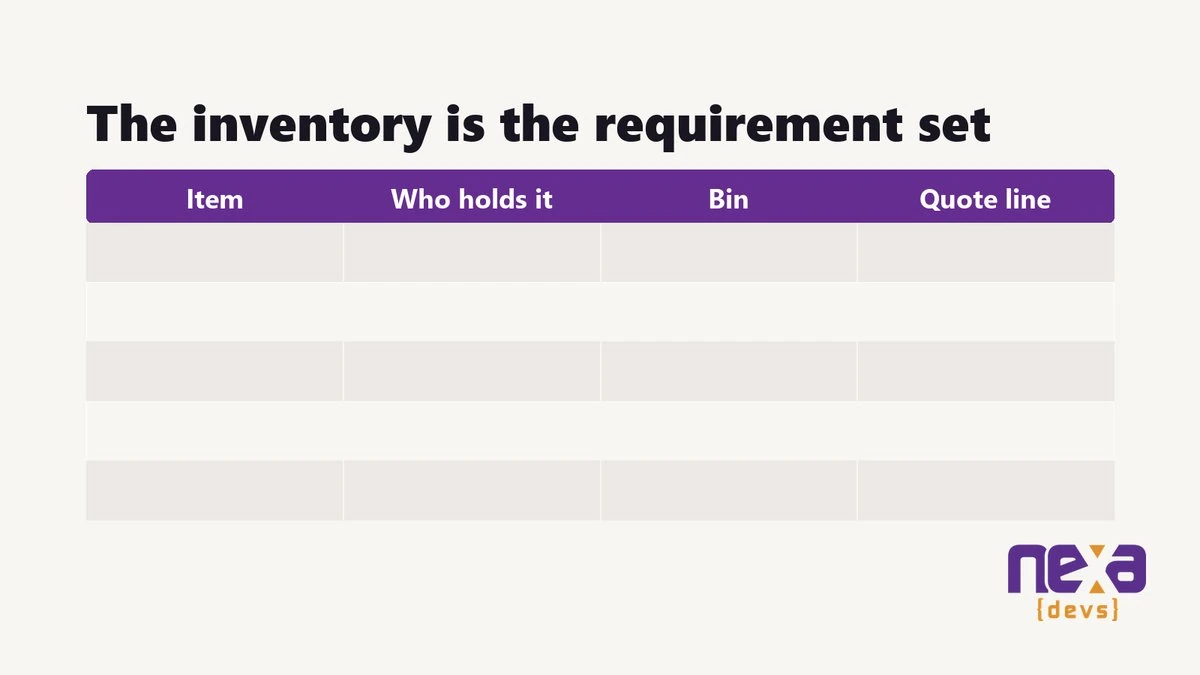
Matching each inventory row to a quote line shows where the vendor assumed standard behavior.
Using it to interrogate a migration quote
Walk the table against the quote. Every rebuild row should match a priced line, and every replace row should match a configuration line the vendor is willing to demonstrate. Retire rows should be gone altogether. Any still in the quote is a saving you’ve just found.
Then read the exclusions. A fixed-fee quote usually lists what it assumes and what it leaves out. Compare that list with your rebuild bin. Where they collide, you now know the real number before the contract does.
Try one pointed question: which line covers the credit-hold approval? If the answer is “that’s in our standard workflow,” asking to see it running on real data will tell you more than any slide.
A credible vendor response
A credible vendor maps each item by name. It flags what it can’t price yet and says why. Rather than padding the quote with contingency, it proposes a short discovery phase with a defined output, and it puts its assumptions in writing.
A vendor who answers a named item with “that’s covered in our standard approach” hasn’t read it. Don’t hold that against them yet, since you may be the first customer to hand them this document, but do hold the price until they’ve read it.
The deliverable here is a scoped requirement set, built from your department’s work and yours to take to any vendor.
Questions to Ask Before You Sign
Ask four things before signing. How do they assess the system you already have? What do they do about ambiguity in requirements before it becomes a change order? Will they work with a system somebody else built? And who owns the documentation at the end?
Those four questions are where Nexa Devs starts. Every engagement begins with an architecture assessment of the existing system, run before modernization work starts, so the layer under the quote is visible first. AI-assisted requirements analysis surfaces ambiguity and design risk earlier than manual review would. We take on systems built by other vendors, including ones in poor condition or with degraded documentation. And complete documentation transfers to you as a standard deliverable, owned by your organization whether or not the engagement continues.
If you’re holding a migration quote and can’t point to the line that covers your department’s workarounds, book 30 minutes. We’ll show you where the gaps are.