

Table of Contents
The Business-Critical Spreadsheet Nobody Owns
Every department has one. A workbook on a shared drive that quietly runs procurement, scheduling, or the monthly ops report your leadership team reads every Monday. Call it what it is: unowned software your team depends on daily, built by one person who never set out to write your department’s core system.
The risk is simple to state. The file behaves like production software, but nobody manages it like production software. There’s no version control, no backup owner, and no documentation beyond what lives in one person’s head. When that person is out sick, promoted, or gone for good, the workflow keeping your team running walks out with them.
This isn’t really a spreadsheet problem. It’s an operational continuity problem wearing a spreadsheet’s clothes, and most COOs don’t see it clearly until the person who built it is already halfway out the door.
The business-critical spreadsheet nobody owns: how a personal file became production software
Someone in ops built a tracker two or three years ago to solve one afternoon’s problem. Today it runs invoicing, inventory counts, and the report your CEO pulls up before board meetings. Nobody remembers approving that promotion.
It always happens the same way. A spreadsheet doesn’t get selected as business-critical infrastructure through a procurement process, a security review, or an IT sign-off. It earns the role gradually, one added tab and one new formula at a time, until the day someone realizes the whole department would stall without it. By then, walking it back feels riskier than living with it.
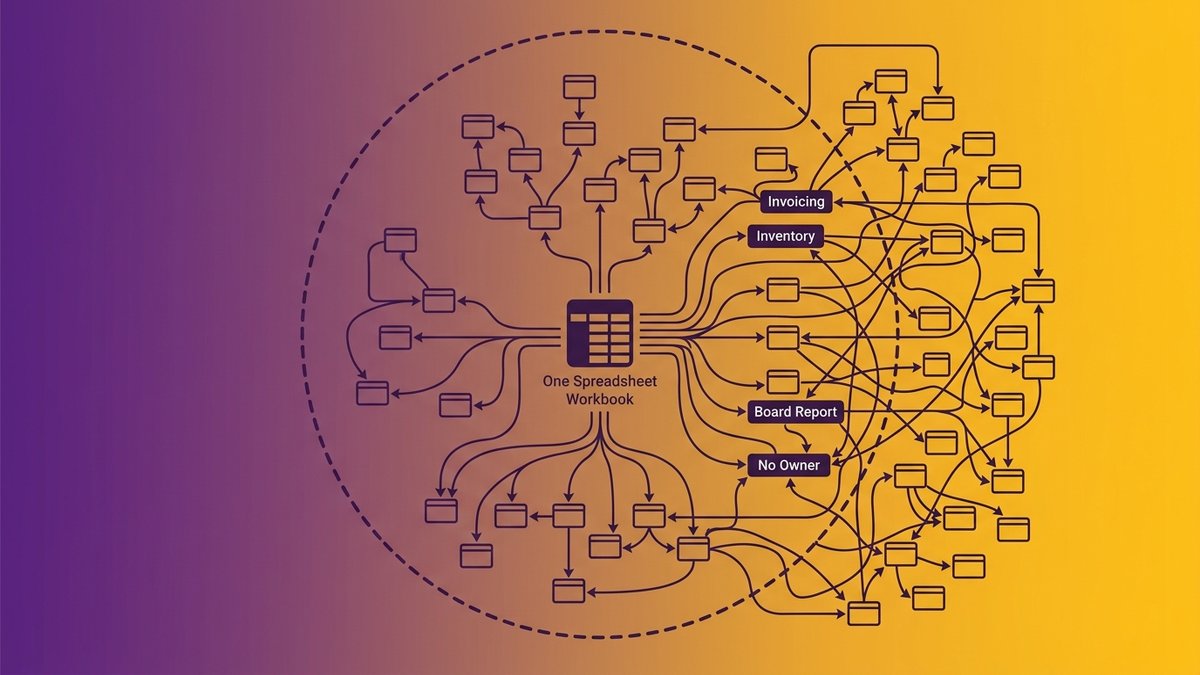
A department spreadsheet with dozens of interconnected tabs, showing how a business-critical spreadsheet grows past what any one person can safely maintain
Compare that to how actual production software gets built. Code goes through review before it ships. Changes are tracked and reversible. Someone other than the original author can read it and understand what it does. A spreadsheet running your department has none of that, even though it carries the same weight. It has become the system of record without ever earning the discipline a system of record requires.
The European Spreadsheet Risks Interest Group has studied this for two decades, and the finding holds across industries: a personal tool crosses into “everyone relies on it” territory long before anyone treats it with the rigor that status demands. Nexa Devs sees this constantly in mid-market ops teams. The file usually isn’t badly built. It’s just being asked to do a job it was never designed to hold.
Bus factor of one: the key-person risk hiding in your most critical file
Ask who else on your team can open your master spreadsheet and rebuild it from scratch. If the honest answer is nobody, you’re running a bus factor of one on a system your department can’t function without.
“Bus factor” comes from software engineering, and it measures something specific: the number of people who could disappear before a project stalls out completely. Even mission-critical open-source databases like MySQL and PostgreSQL, software running inside millions of companies, carry a bus factor of roughly two. Most department spreadsheets don’t even clear that bar. One person wrote the formulas, one person knows what the color coding means, one person remembers why row 40 has a manual override nobody else is supposed to touch.
Ryan Steil, CEO of Rhodium Digital, has watched this play out across client engagements: “Clients running $30 million operations on spreadsheets, duct-taped middleware, or an overworked Excel genius who holds the entire reporting process together through brute force and caffeine.” That genius is a real person on your payroll, and their knowledge has never been written down anywhere you could hand to someone else.
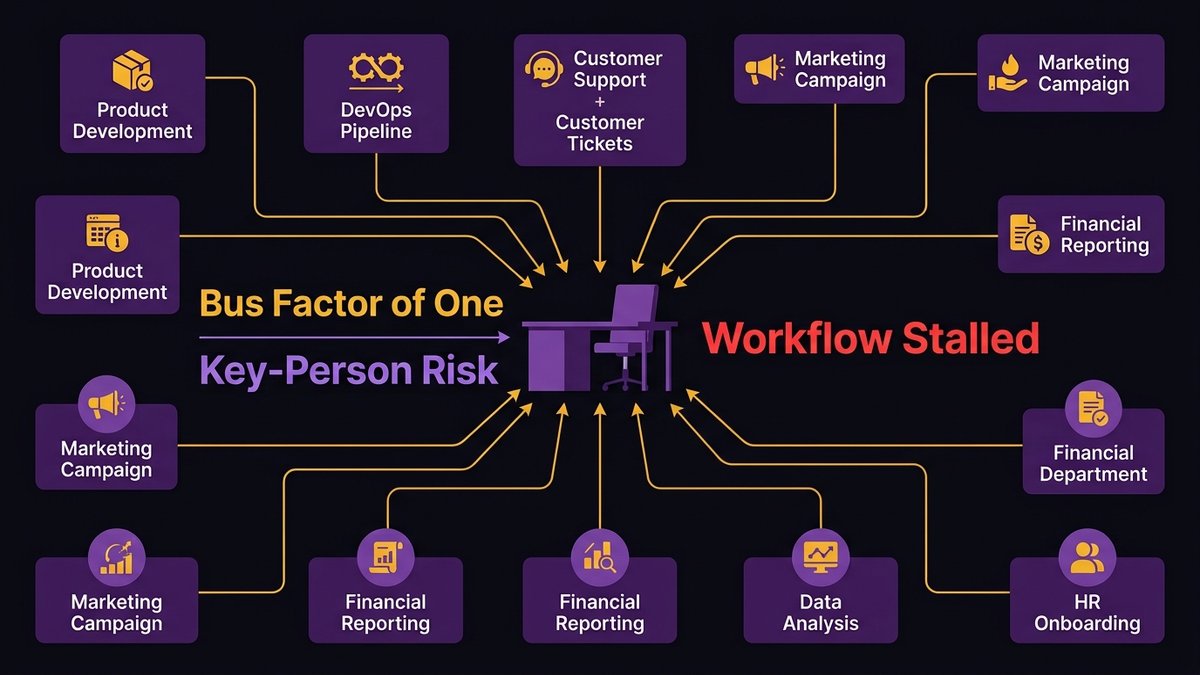
An empty desk representing the operational gap left when the one person who understands a critical spreadsheet is suddenly unavailable
What happens the week that person is out or leaves
The first missed day is manageable. Someone covers, badly, and the team apologizes to whoever’s waiting on the report. The real damage shows up when the absence stretches past a week: a parental leave, a resignation, a sudden illness. Formulas break silently. Nobody notices a dropped row until a customer calls asking where their order went.
Research cited by SHRM found that 72% of companies have at least one employee whose sudden departure would meaningfully disrupt operations. That isn’t a rare edge case. It describes most of the organizations reading this, right now, today.
Why “just have someone else learn it” doesn’t work
Cross-training sounds like the obvious fix until you actually try it. A spreadsheet’s real logic rarely lives in the formulas. It lives in the judgment calls: which exceptions get manual overrides, which numbers get quietly adjusted before the report goes out, which tab is safe to ignore. None of that is written anywhere. ClearlyAcquired’s research on key-person risk puts the cost of replacing that kind of embedded technical knowledge at 150 to 400% of salary, with new hires needing months to reach full productivity even after they’re hired. Cross-training assumes there’s a backup to build, when the real work is extracting tacit knowledge that was never designed to leave one person’s head.
What it’s actually costing you: errors, rework, and missed SLAs
A single mistyped formula can misstate a quarter’s numbers before anyone catches it. Put bluntly, that’s what a business-critical spreadsheet costs you, and it happens more often than your team probably realizes.
Academic auditing research going back decades, the kind EuSpRIG has built its entire body of work around, consistently finds error rates in active spreadsheets far higher than most finance and ops leaders expect. The exact percentage varies by study, but the direction never does: spreadsheets with real complexity, the ones with nested formulas and cross-tab dependencies, are error-prone by design, not by accident. JPMorgan’s 2012 “London Whale” incident traced part of a multi-billion-dollar trading loss back to a spreadsheet copy-paste error buried inside a risk model nobody had properly reviewed. The exact figures attributed to that error vary by source, but the incident itself is well documented.
You don’t need a trading floor for this to bite. Picture a mid-market operations team where the weekly inventory reconciliation runs through a shared workbook with six linked tabs. One dragged formula, and the whole week’s reorder quantities are off. Someone catches it Thursday. Now the team is rebuilding two days of work while the warehouse waits on a decision it should have had Monday. Multiply that by every department running the same setup, and the hours add up fast. It’s not one dramatic failure that sinks a business-critical spreadsheet. It’s the slow bleed of rework hours, missed handoffs, and preventive maintenance quietly skipped because nobody flagged the schedule change buried three tabs deep.
Why “just add more automation” makes it worse
More automation on top of a spreadsheet doesn’t remove the dependency. It adds another layer that still depends on the same one person to maintain, and now that person has two systems to hold in their head instead of one.
This is the trap most ops teams fall into, and it’s an understandable one. The spreadsheet is straining, so someone bolts on a macro, then a script that pulls data automatically, then a scheduled email that fires off the report. Each addition feels like progress. Each one is actually another point of failure stacked on the original single point of failure.
The workaround-on-a-workaround spiral
The pattern plays out predictably. The macro breaks when the source file’s column order changes. The scheduled script fails silently over a holiday weekend and nobody notices for three days. The automated email keeps sending, but it’s sending last week’s numbers because the underlying refresh quietly stopped working. None of these tools were built with monitoring, alerting, or a fallback plan, because none of them were built as software. They were built as patches on a patch.
We’d argue this is the single most expensive mistake a COO can make with a struggling spreadsheet: treating “add more automation” as a cheaper alternative to “replace the system.” It’s rarely cheaper. It just defers the cost and adds interest.
Where shadow automation and AI quietly enter
This is where AI tools have started showing up in ops workflows, usually without IT’s knowledge. An employee plugs a spreadsheet into an AI assistant to auto-generate a summary, or builds a lightweight automation using a no-code tool that connects to the same fragile file. It’s not malicious. It’s the same instinct that built the original spreadsheet: solve today’s problem with whatever’s on hand. But every one of these additions deepens the exact dependency it was meant to relieve, and now the knowledge required to maintain the system is spread across even more disconnected tools.
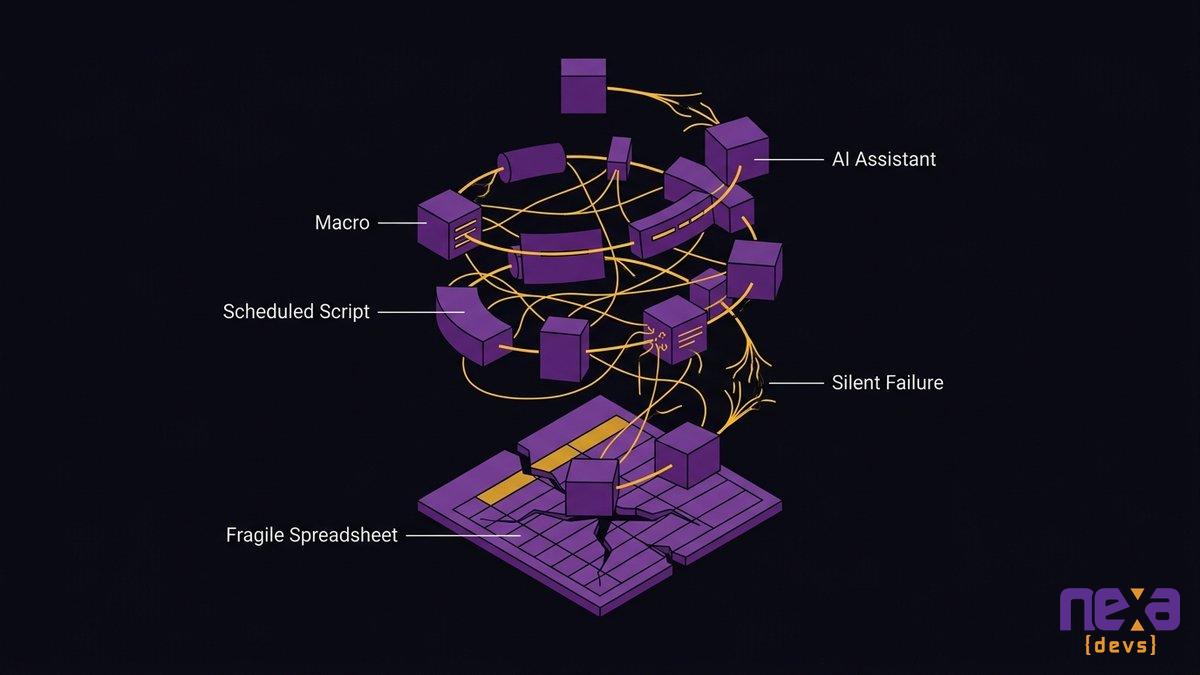
A tangle of connected automation scripts and AI tools all feeding off the same fragile spreadsheet, illustrating the workaround-on-a-workaround spiral
Why controls and governance don’t fix the underlying problem
Spreadsheet controls, version locking, sign-off workflows, contain the symptom. They don’t touch the reason the file exists in the first place.
Most organizations that take spreadsheet risk seriously eventually build a governance layer: an inventory of critical files, required approvals before major changes, periodic audits. These aren’t bad ideas. They genuinely reduce the odds of a catastrophic single error slipping through unnoticed. What they don’t do is answer the actual question a COO should be asking, which is why a spreadsheet is running a core department process instead of purpose-built software.
Controls manage risk within the workaround. They don’t remove the workaround. You can lock down who’s allowed to edit the master file and still have a system with a bus factor of one, because the underlying problem was never the lack of a sign-off process. It was that the real system, whatever platform your team is supposed to be using, doesn’t fit how the work actually happens. Read our breakdown of why spreadsheet-run operations break at scale Governance is worth doing. Just don’t mistake it for a fix.
Replacing the workaround layer with a system built around the workflow
The fix isn’t another SaaS subscription that promises to replace Excel. It’s a system designed around how your team actually works, not around a generic template built for a different company’s workflow.
That distinction matters more than it sounds like it should. Most off-the-shelf platforms fail the same way the spreadsheet eventually will: they don’t match the specific exceptions, approval chains, and edge cases your operation has accumulated over years. Teams end up building a new spreadsheet workaround around the new software within eighteen months. Same problem, prettier interface.
Designing around the actual workflow, not the tool
The starting point isn’t “what software should we buy.” It’s mapping what the spreadsheet is actually doing today, including the undocumented exceptions and manual overrides nobody wrote down. Nexa Devs starts every internal system engagement right here: AI-assisted requirements analysis surfaces the workflow logic buried in the file before a single line of code gets written, so the replacement system is built around how your team really operates, not around a guess at how it should.
Documentation and ownership you keep
The difference between Nexa’s approach, the spreadsheet, and a typical outsourced project shows up clearly here. Nexa delivers complete documentation, architecture diagrams, system design records, test coverage reports, unconditionally, whether or not the engagement continues afterward. That documentation belongs to your team from day one. Instead of trading a workaround only one person understands for a black box only one vendor understands, you own the system, fully, the same way you’d own a building instead of renting one you can’t ever quite leave.
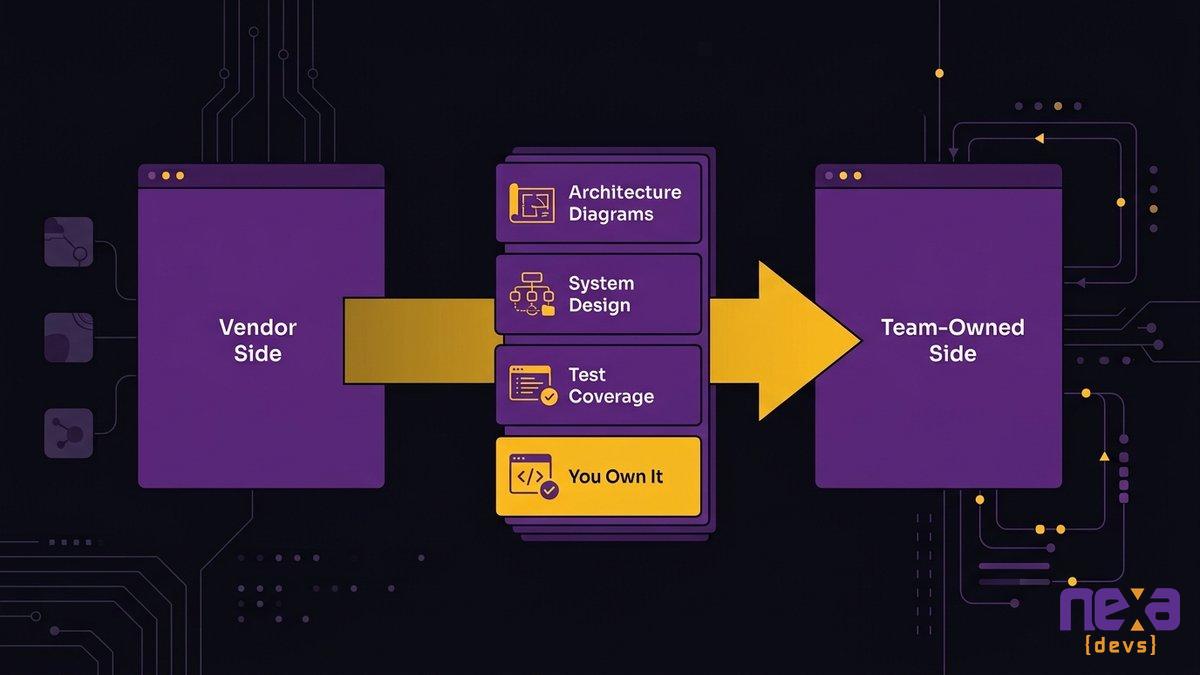
A team reviewing a complete system documentation package, showing the ownership handoff that replaces a single person’s tacit knowledge
A phased cutover that doesn’t break operations
Nobody wants to flip a switch and hope the new system holds. A responsible cutover runs the replacement alongside the existing spreadsheet for a defined period, department by department, verifying each piece against the old process before retiring it. See how AI-augmented delivery shortens modernization timelines The spreadsheet doesn’t disappear on day one. It gets replaced piece by piece, with each piece proven before the last workaround gets turned off.
Is this slower than a big rewrite done all at once? Sometimes, by a few weeks. It’s also the difference between a modernization project and an outage you have to explain to your board.
FAQ
What is a business-critical spreadsheet?
It’s a spreadsheet that quietly became your department’s system of record, running scheduling, reporting, or invoicing without documentation, backup ownership, or version control. Nobody planned it that way. One person built a workaround, and the workaround became infrastructure your team can’t run without.
What is key-person risk in a spreadsheet?
Key-person risk is what happens when only one employee truly understands how a critical file works. If they’re out, promoted, or gone, nobody can maintain, update, or fully explain the spreadsheet your operation depends on.
Why doesn’t adding automation fix spreadsheet dependency?
Automation built on top of a spreadsheet still depends on the same person to maintain it. You’re not removing the single point of failure. You’re adding another layer that also breaks when that person leaves.
Can documentation alone solve spreadsheet risk?
No. Documentation helps someone understand the file, but it doesn’t fix why the spreadsheet exists in the first place: a workflow the real system doesn’t support. You need a system built around that workflow, not better notes on the workaround.
How do you replace a business-critical spreadsheet without disrupting operations?
Map the actual workflow first, not just the spreadsheet’s columns. Then build the replacement in phases, running it alongside the spreadsheet until each piece is verified, with full documentation handed to your team at every step.